From the sofa to your first shift: registration takes around 10 minutes, and verification is completed by the next working day – by real people, not an algorithm. Here, you can see every step before you take it.
10-minute registration
Review by the next working day
Everything on your mobile phone, with no app installation required
Why is it so quick with us? Because the system does the work: your registration becomes the contract, we take care of the enrolment, and adjustments are made with a click. The six steps in detail:
1
YOUR PART
You register yourself
Name, contact details, a few questions about you. Your employment contract will later be created directly from this information – so you never have to fill anything in twice.
2
YOUR PART
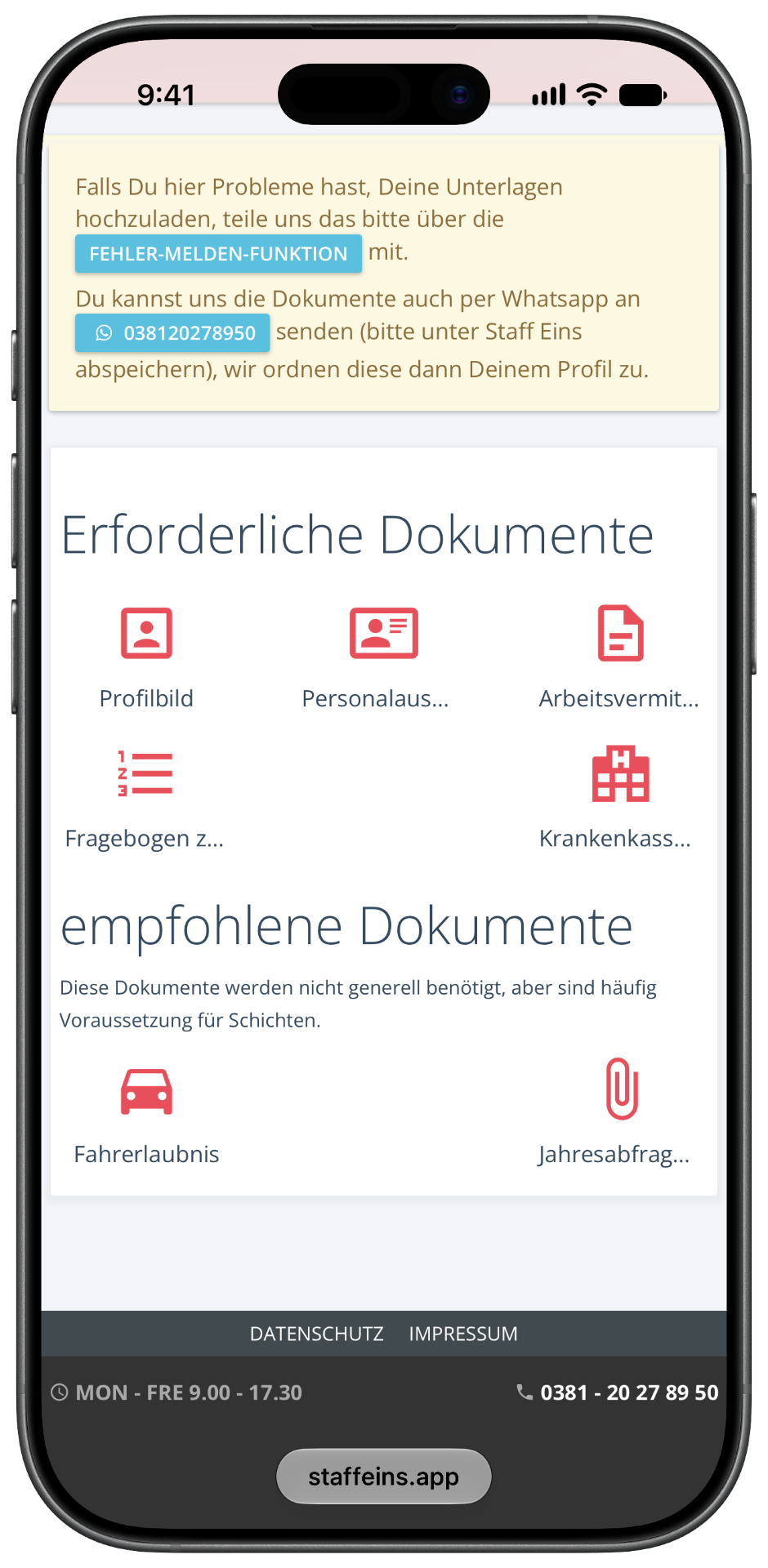
You upload 5 documents
Mobile phone photos are perfectly sufficient. The checklist below states which ones are required.
3
OUR PART
We personally check
Real people review your documents by the next working day. This protects you and the companies – and keeps the quality in the pool high.
4
OUR PART
Your profile goes live
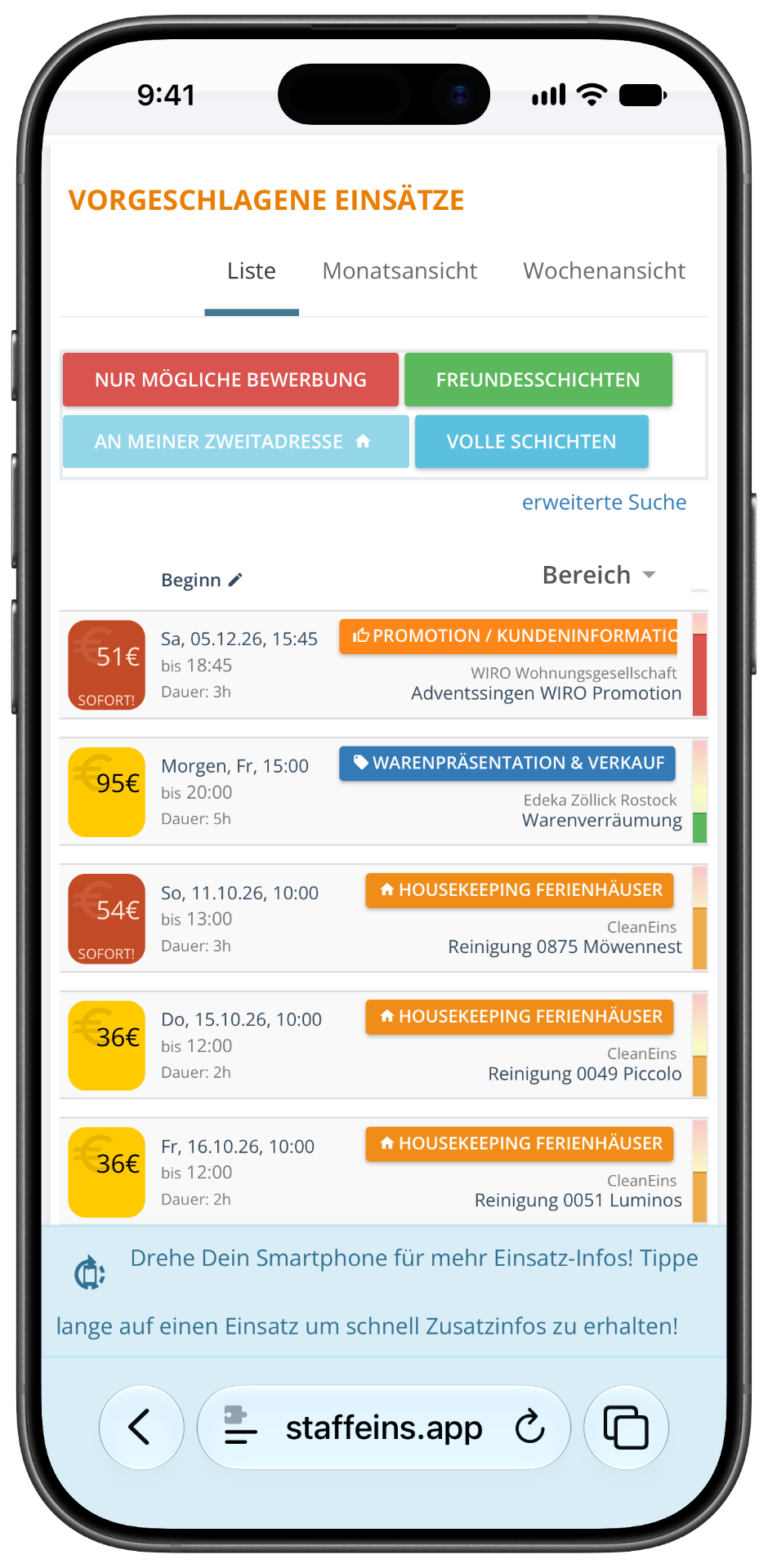
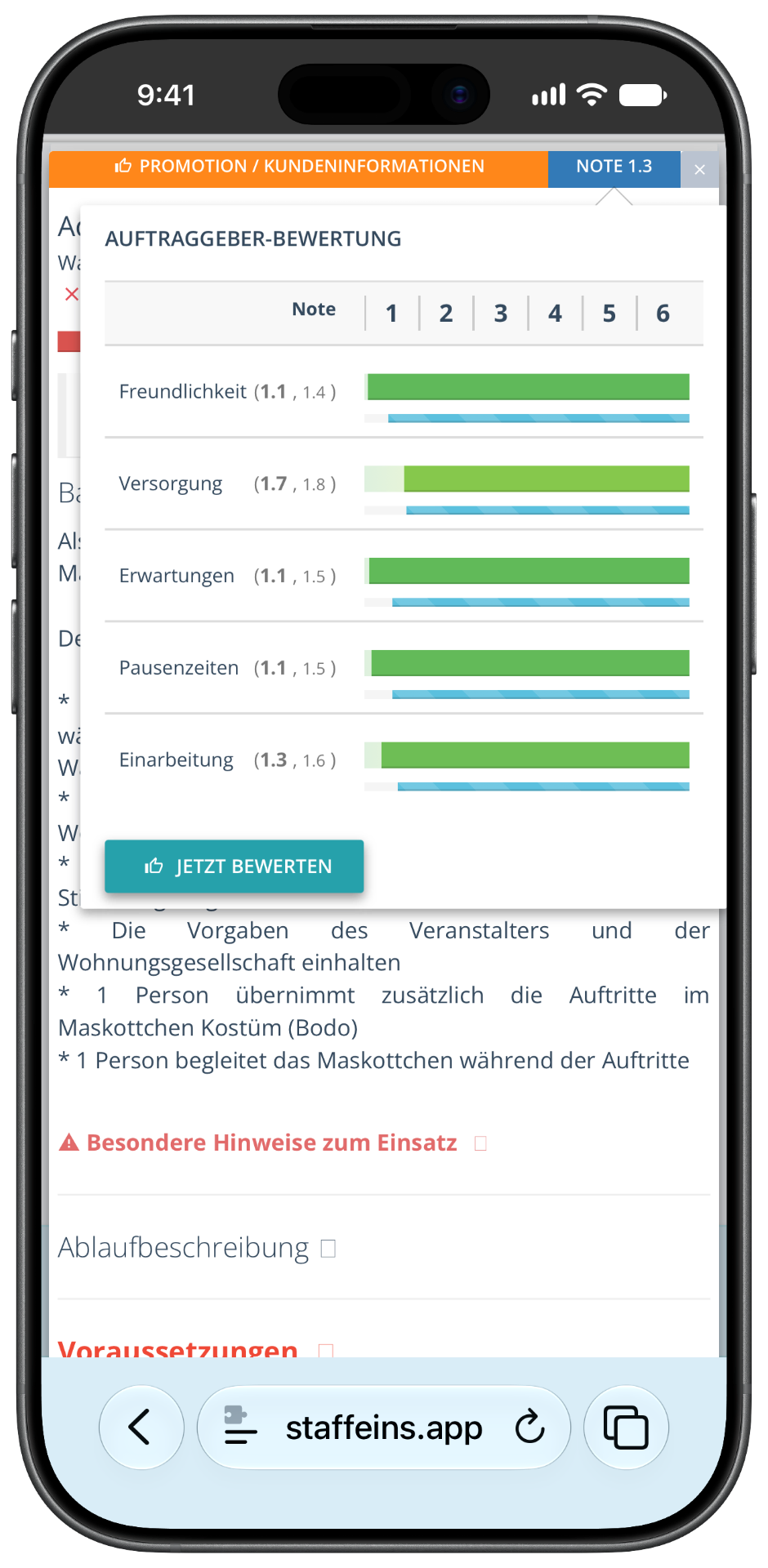
From now on, you can see shifts in your area – including pay, hours and the company’s rating. And companies can contact you.
5
YOUR PART
You are applying – or are being asked
One click is all it takes. If a company already knows you, the system asks you first. You never have to answer – you come first, then your job.
6
YOUR PART
You work and collect payment
Schicht machen, Stundenzettel bestätigen, fertig. Bei Staff-Eins-Auszahlung ist dein Geld garantiert – bei Blitz-Schichten schon am nächsten Arbeitstag.
In short: you do three things yourself – register, upload, apply. We take care of the checks, contract and registration. That keeps finding work simple.
FIVE PHOTOS. NO PAPERWORK.
This is what you need for registration.
Get these five things ready before registering, and you’ll be done in just 10 minutes. A photo taken on your phone is enough for everything – you don’t need a scanner.
Identity card or passport
Front and back as a photo. For non-EU citizens, additionally the residence permit with work authorisation.
Tax Identification Number
Shown on every tax assessment notice or in the letter from the Federal Central Tax Office.
National Insurance number
You can find it on your social security card or on any old payslip.
Bank details
Your IBAN is all we need – that’s where we’ll transfer your money.
A recent photo
Friendly and recognisable. Companies choose people, not anonymous numbers.
Note for international jobbers: Which permission you need depends on your status – you can find the official information at the Bundesbehörde BAMFOur team is happy to help you with any questions via WhatsApp.
NO APP INSTALLATION. NO UPDATE THEATRE.
Works on every mobile phone. Instantly.
Staff Eins runs as a web app directly in the browser: no installation, no updates, no storage full. Open the link, log in, done – on an iPhone, the oldest Android and your parents’ laptop.
You also decide how we can contact you: WhatsApp, email or not at all – each channel can be opted out of individually, and there is never any obligation to respond. On the right, you can see real views from the app: shift offers, applications, ratings.